
Ginger Slicer
Ginger Slicer is the official slicer for the Ginger Additive G1 pellet printer. It is a maintained fork of OrcaSlicer with pellet-specific features built in, and it is the only slicer that includes pre-configured G1 printer profiles and the FGF workflow out of the box.
Download the latest version at gingeradditive.com/pages/ginger-slicer. The slicer is open source: github.com/gingeradditive/GingerSlicer, including its engineering documentation - see Pellet engine features for what the pellet-specific engine does.
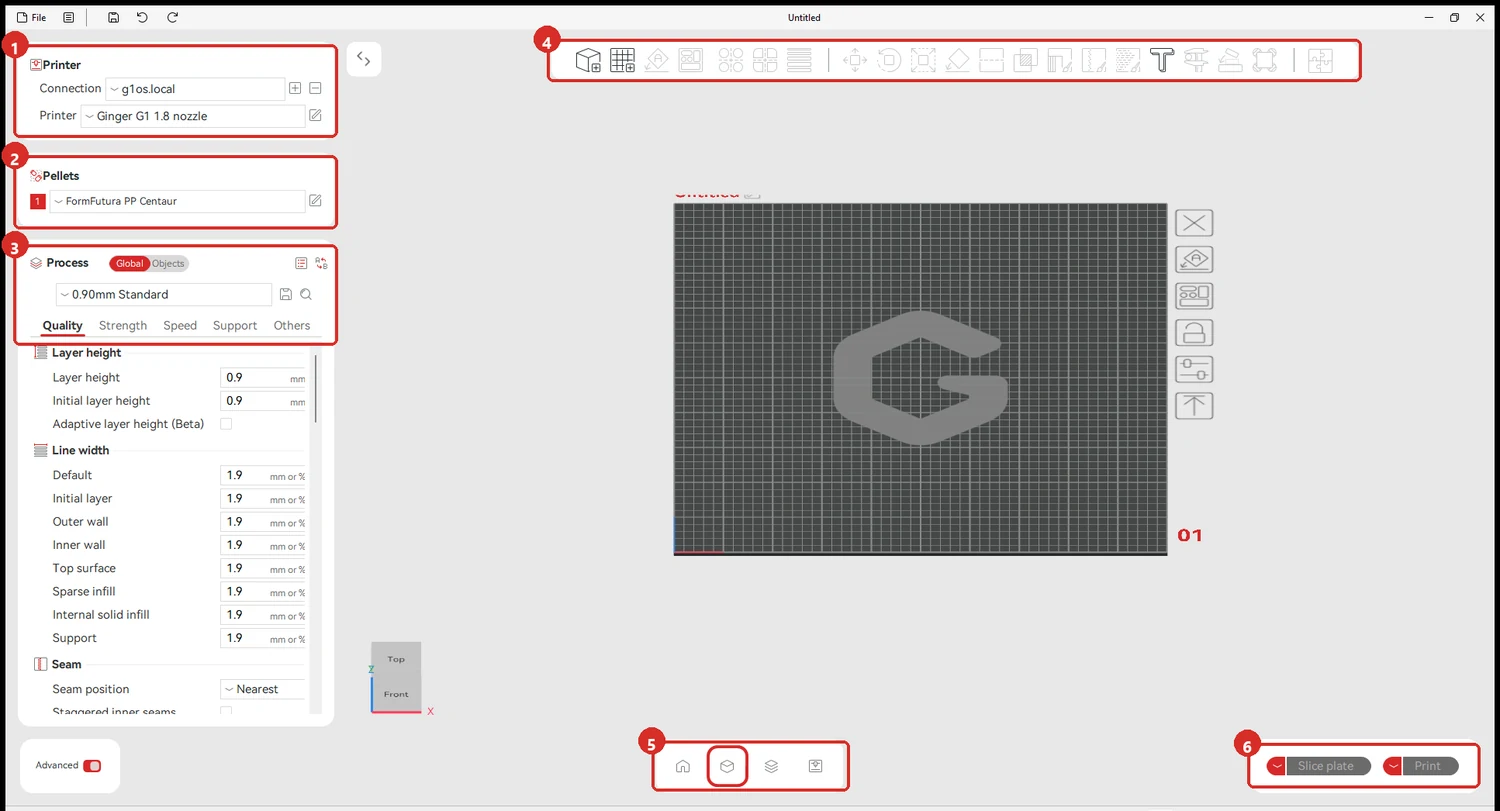
Full tour of the window: The Ginger Slicer window.
The three panels down the left are the whole workflow: which printer and nozzle, which pellets, and which process — the layer height and everything that follows from it.
What makes Ginger Slicer different from filament slicers
Section titled “What makes Ginger Slicer different from filament slicers”Pellet printing (FGF — Fused Granular Fabrication) differs from filament FDM in fundamental ways. Ginger Slicer addresses these differences with dedicated features:
| Filament slicer concept | Ginger Slicer equivalent |
|---|---|
| Rotation distance (mm/step) | Rotation Volume (mm³ per screw turn) |
| Flow rate (%) | Rotation Volume calibration |
| Single temperature input | Multi-Heating Zones (Feeding / Melting / Nozzle) |
| E in G-code = mm of filament | E in G-code = mm³ of volume (Pellet Modded Printer mode) |
| Mechanical retraction | Pressure-based ooze management |
| Max speed (mm/s) | Max Volumetric Speed (MVS) (mm³/s) |
Without these changes, standard OrcaSlicer profiles would produce incorrect extrusion amounts, wrong temperature inputs, and unworkable flow rates on the G1.
Pages in this section
Section titled “Pages in this section”- The Ginger Slicer window — the interface, region by region, and the workflow in order
- Pellet engine features — what the pellet-specific engine does
- FGF-specific settings — settings unique to pellet printing and how they differ from filament
- Connecting Ginger Slicer to the G1 — network setup, file upload, monitoring
- Material profiles in Ginger Slicer — creating, managing, and sharing material profiles
Step by step
Section titled “Step by step”- Ginger Slicer — first install — installation on Windows and macOS
- Creating a material profile — the full calibration workflow for a new material
- Rotation Volume calibration — in the G1 section, because it is done at the machine