
Machine won't start — Red emergency button
The most common reason a freshly delivered or recently moved G1 “won’t start” is the red emergency mushroom button, accidentally pressed during shipping or handling.
Symptoms
Section titled “Symptoms”- The display is on, and the machine does nothing. The button cuts the Octopus, not the Raspberry Pi, so the screen stays alive to tell you something is wrong
- Klipper reports
Lost communication with MCU 'mcu', or shows the printer as disconnected — see Klipper MCU communication lost, where this is the first cause to rule out - Firmware Restart has no effect, and nothing in the interface names the button
- The red mushroom is visibly flush with its housing rather than standing above it
The red emergency stop is a rotary latch switch: pressing it locks it down and cuts power to the Octopus, the main control board. Klipper loses the board and shuts down, which is why the machine is dead and why the interface reports the MCU rather than the button — nothing in the firmware knows the button exists. No software action releases it. See Emergency stop button.
-
Find it on the panel box at the front, under the display — not on the frame
-
Rotate it clockwise until it springs back out
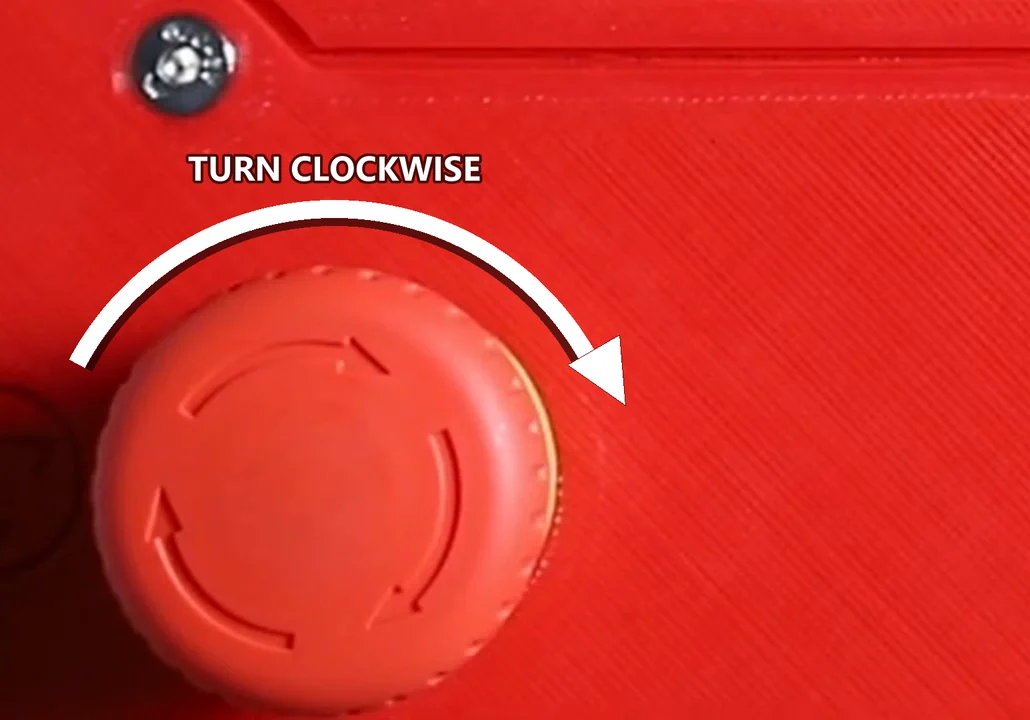
-
Confirm the button is fully extended — its head should clearly stand above the housing
-
Run Firmware Restart in the Klipper / Mainsail interface to bring the printer back online
-
Verify the machine responds to commands
How to prevent
Section titled “How to prevent”- During transport, vibrations and impacts can press the button — always check it’s released after moving the machine
- At first boot, before troubleshooting anything else, look at the emergency button
- Tell new operators that this is a physical latch: it only releases with a clockwise twist, and no amount of restarting will do it for them
Related notes
Section titled “Related notes”- Emergency stop button
- Firmware restart
- Electrical connections and first boot