
Automatic feeding system
The G1 feeds itself: a vacuum draws pellets from the material source into the hopper whenever the level drops, so a print never waits on a hand with a scoop. This page is the map of that system — each stage links to its component note.
Official walkthrough: How the G1 Automatic Feeding System works (4:06).
The chain
Section titled “The chain”| Stage | What it does | Detail |
|---|---|---|
| D1 dryer | Holds and dries the material | Dryer |
| Guillotine | Manual slide, closed while drying and whenever the printer is off | Pellet gate and guillotine |
| Pellet gate | Pickup filter: stops gravity feed into the tube and admits the air that carries the pellets | same |
| Feed line | Corrugated → rigid grey pipe → corrugated, always rising | Corrugated tube |
| E17 + filter + gasket | Cap with TANK and VACUUM ports; the filter keeps pellets out of the vacuum line | Hopper |
| Hopper (E04) | ~500 g buffer, watched by a capacitive probe | Level probe and the feeding cycle |
| Vacuum pump | Standard shop vacuum on the FEEDING socket, switched by the feeding board | Vacuum pump |
| Auger — E1 | Pushes pellets into the screw inlet | The two extruder steppers |
| Screw — E0 | Melts and extrudes | Extruder screw |
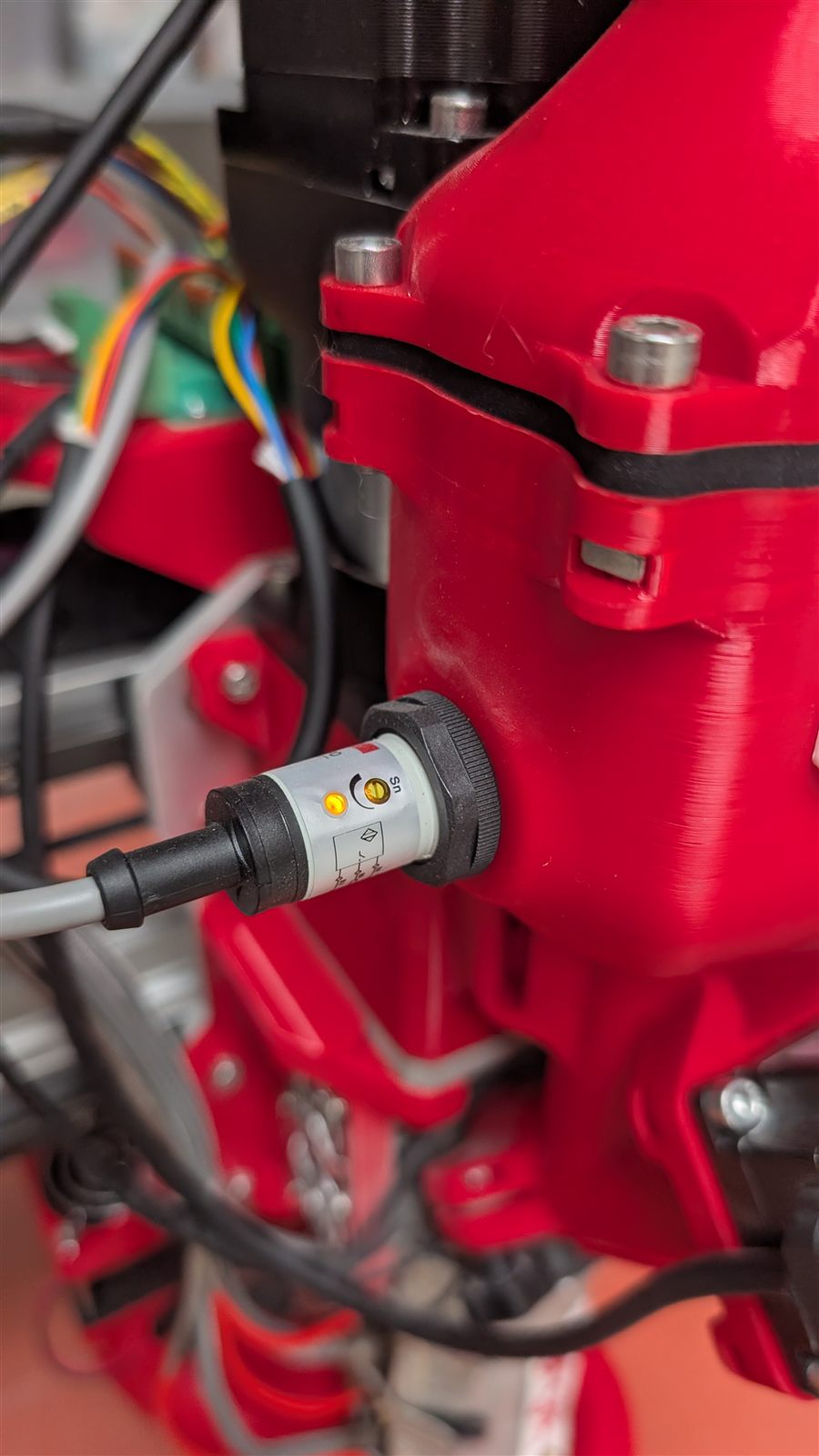
The probe that starts and stops the cycle below, seen in the hopper wall.
The cycle, in one paragraph
Section titled “The cycle, in one paragraph”The capacitive probe in the hopper wall reads on while material covers it. When the level drops the probe goes off and — with FEEDER enabled — the feeding board runs the vacuum for about 3 seconds, waits 5, checks again, and repeats up to four rounds. Material arriving covers the probe and the cycle stops; four dry rounds instead trigger the buzzer (3 s on, 17 s off). Normal cadence is one feeding event every 10–20 minutes depending on flow. The logic runs on a dedicated Arduino Nano on the Ginger.Feeding board in the panel box, not in Klipper — source: G1-AutoFeeding.
FEEDER is off when the printer powers up; the START_PRINT macro switches it on. An idle machine with FEEDER off is not a fault.
Operating rules
Section titled “Operating rules”The five rules that keep the system running, each learned the hard way in support:
- The vacuum’s own button stays ON, always. The printer switches its socket
- Open the guillotine when a print starts, close it while drying and whenever the machine is idle
- The line must always rise — anywhere pellets can fall by gravity, they pile up and plug the tube
- Filter and gasket must be in place whenever the hopper is reassembled, and the gasket has a direction
- The hopper stays closed — suction only exists because E04 is sealed
When material stops arriving
Section titled “When material stops arriving”Work through Hopper suction problems — it starts with the fastest checks (guillotine, then the E17 joint) and ends with the mains-capacity case. The buzzer means four rounds of suction found nothing: blocked tube, vacuum off at its own switch, or a loose probe connector.
Emptying the system
Section titled “Emptying the system”For a material change, empty in this order: hopper off (both knobs, FEEDER off first), tip it out, then run the vacuum to empty the pipes, then purge the extruder. Full steps: Taking the hopper off.