
Emergency stop button
The red mushroom-shaped safety switch, mounted under the display on the panel box at the front of the machine. Pressing it stops the machine immediately and latches down; the machine stays stopped until the button is released by hand.
What it looks like
Section titled “What it looks like”A large red button with a wide round head, mounted under the display, on the panel box at the front of the machine. When released, the head sits clearly raised above the housing. When pressed, the head sinks flush and locks in place.
How it works
Section titled “How it works”It is a rotary latch switch: pressing it locks it down, and it must be rotated clockwise to release.
It cuts power to the Octopus — the main control board. Klipper loses the board it talks to and shuts down, which puts the machine in the same state as pressing Emergency Stop in Mainsail. The difference is only in how it gets there: one is a command, the other takes the board’s power away.
Nothing in the machine’s Klipper configuration mentions the button — no section,
no pin, no gcode_button. The firmware never learns that it was pressed; it
only notices the board has gone. That is why the interface never names it as the
cause.
What stops, and what does not
Section titled “What stops, and what does not”The Octopus carries all motion and the bed heater (PG15), so those die
with the board.
The three barrel heaters are on the extruder_board, a second controller, which is understood to keep its power. They go off because Klipper shuts down when it loses the Octopus, not because the button reached them — a firmware path, not a hardware one.
Procedures
Section titled “Procedures”Releasing the button (after pressing)
Section titled “Releasing the button (after pressing)”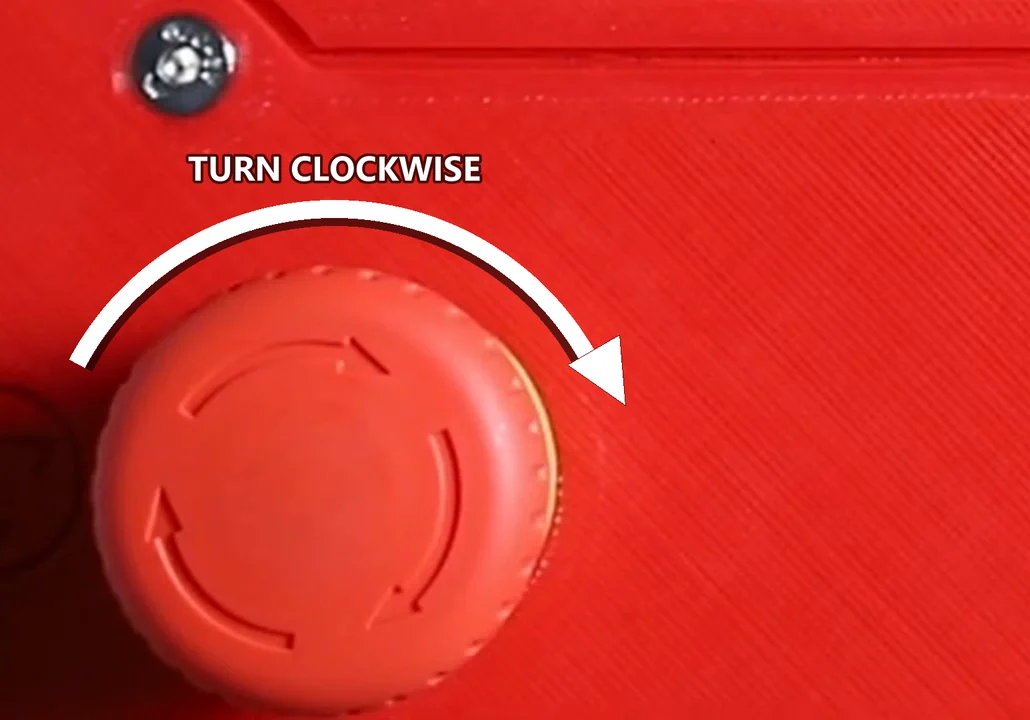
The button’s own moulded arrows point the same way. From G1 Bed Level & Prep Surface — 0:04.
- Grip the red head firmly.
- Rotate it clockwise until it releases.
- The button pops up with a soft click.
- Verify it is fully extended — not stuck in an intermediate position.
- If the machine was on when the button was pressed, run Firmware Restart from the Klipper / Mainsail interface. The Octopus has to be powered again before the restart can find it, which is why releasing comes first.
Pressing the button (emergency)
Section titled “Pressing the button (emergency)”- Hit it firmly with the palm of your hand.
- It locks down automatically — no need to hold it.
- The machine cuts power immediately.
When to suspect the button is pressed
Section titled “When to suspect the button is pressed”- The machine doesn’t respond to commands at all
- Display is on but motion is dead
- Firmware Restart has no effect, and nothing in Mainsail names the button as the cause
- After moving the machine: the button can be pressed accidentally during transport
Safety notes
Section titled “Safety notes”- It must never be bypassed — it is part of the machine’s CE compliance
- If it is damaged, replace it with an equivalent certified part rather than working around it
Related notes
Section titled “Related notes”- Machine won’t start - emergency button — the most common “why won’t it start” issue
- Firmware restart — how to restart Klipper after release
- Power outlets (power box)
- Panel Box wiring